VRayMtl 맵 베이킹 스크립트
V-Ray 재질의 여러 채널을 텍스처로 굽고 새 VRayMtl에 자동 연결하도록 만든 무료 스크립트의 기능을 소개합니다.
New free script from us – V-ray maps baking script. v0.05
Features: Bakes texture maps: Diffuse, Reflection, Refraction, Reflection Glossiness, Refraction Glossiness, Normal Bump, Fresnel IOR, Opacity, Illumination.
Creates VRayMtl with all textures correctly assigned.
Can convert exr to jpg using djv_converter.exe (part of the http://djv.sourceforge.net/ )
Ability to load custom render settings preset for baking. It reverts back to old preset.
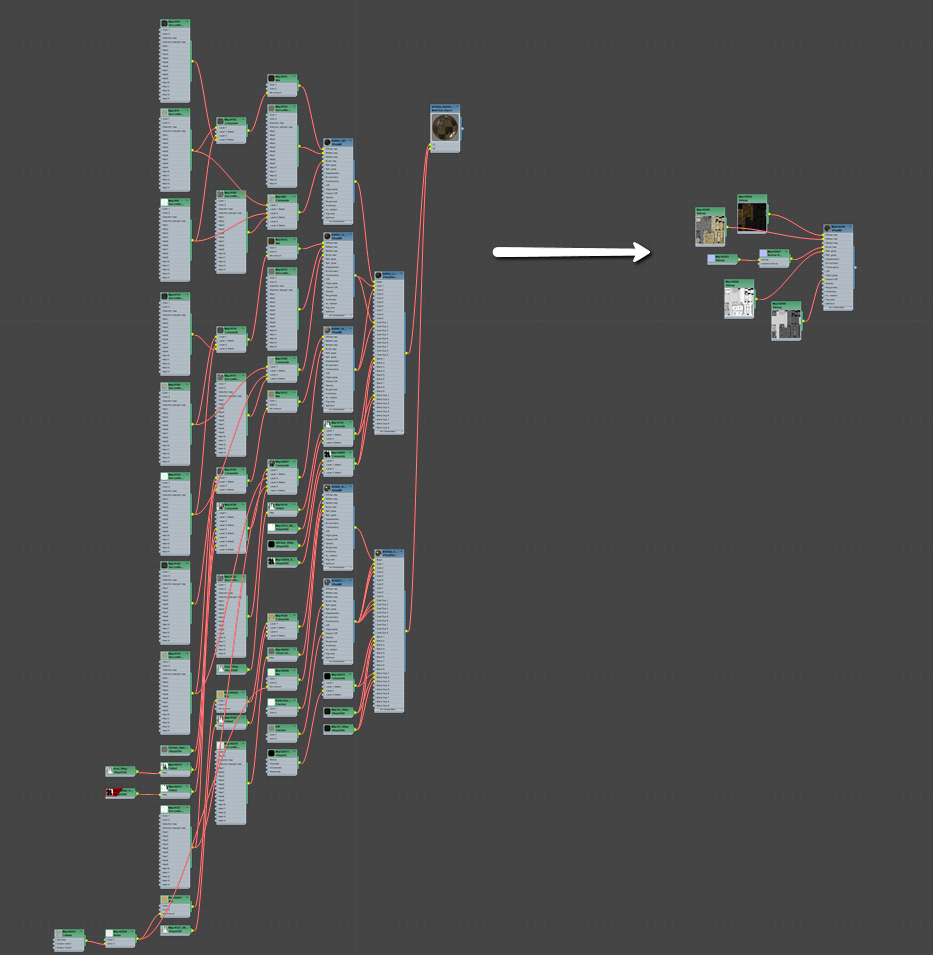
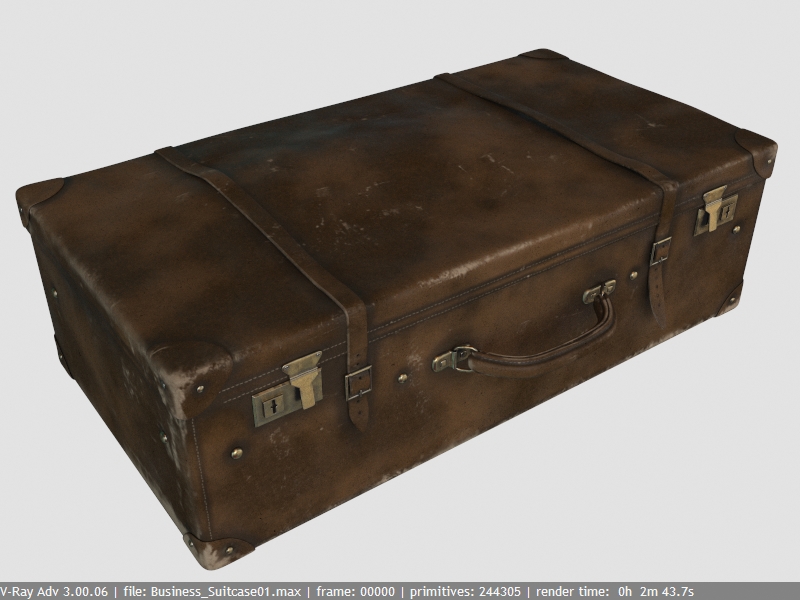
Before baking:
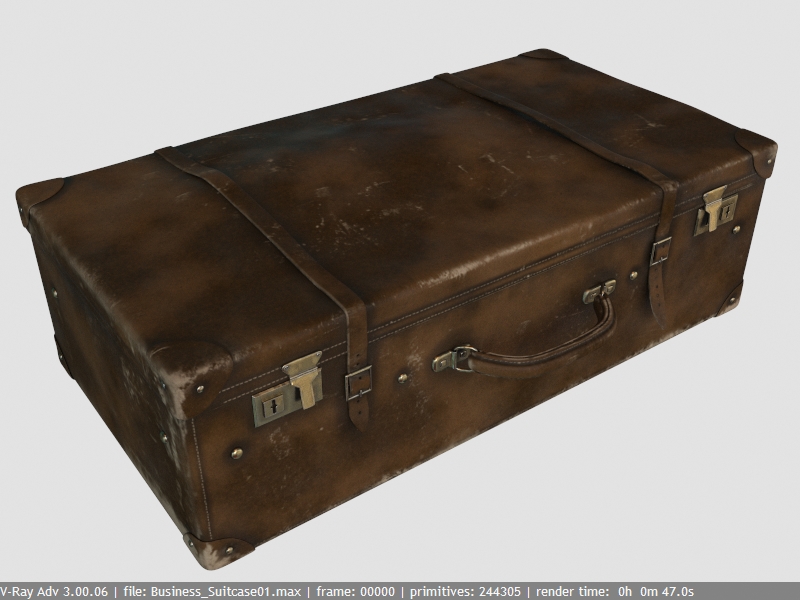
After Baking:
Interface:
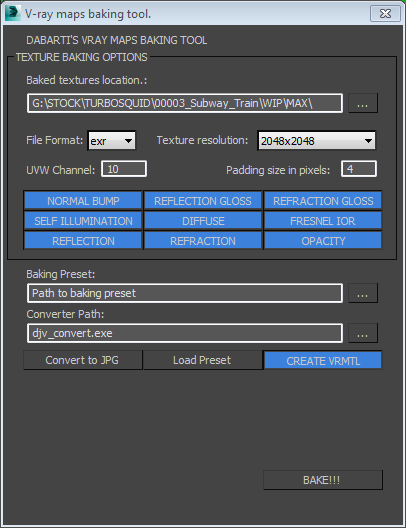
Why?
– Renders faster . When all this mess is baked into maps, you get simplified result that in general render faster.
– Easier to share. This also opens up options to convert your shader to VRMat and use it in Maya / Modo etc.
– More flexibility. Baked maps could be used for other things like exporting model to real time engine or other renderers.
Instructions:
Select model you want to bake textures from. Choose only maps that you need (right click to deselect all). Make sure you have correct mapping channel selected.
If you want to use different rendering settings for baking, create preset and assign it in the script. It will use it at render time and reload previous settings at the end.
djv_converter and Convert to JPG are there in case you have issues with JPG gamma after rendering. It will convert default baking format (exr) to JPG after baking is finished and use them to create VRayMtl
General notes:
- Use the same BRDF model on all the shaders you’re working on. Recommended: WARD
- Camera based maps like falloff won’t work.
- This script will bake complex VRayBlend shaders down to Single VRayMtl, but reflections, glossiness etc will be averaged and result may be different than original.
- Proper UVW mapping is required. No overlapping, No inverted faces. By default it looks for mapping at channel 10 (as usually lower channels are used for shading, and it can get messy)
- Doesn’t work with SSS.
- You don’t need lights / shadows / GI in your scene.
This Script is free of charge. I just hope it will help your pipleline in the way it helps us. You can modify it, but please let me know and share your code. So we can improve it further. Just remember: this Script cannot be resold in anyway.
Download: http://www.dabarti.com/uploads/scrip…v0.05_macro.ms
You can find the script in Category: Dabarti in Customize/Customize User Interface
Changelog:
VRaymtl Baking script v0.05:
Fixed: Custom path now is correctly assigned. Before it rendered to wrong directory. Fixed: Cancelling fixed. Now you can execute script 2 times in a row.
VRaymtl Baking script v0.04:
Added: After each segment of baking Cancel popup appears and user has 3 seconds to cancel execution. Fixed: Checking for existing channel.
VRaymtl Baking script v0.03:
Added: Option to convert exr to jpg after rendering. Added: Option to select baking preset. After rendering is finished, script reloads previous settings.
VRaymtl Baking script v0.02:
Added: “Select object for baking” popup if nothing is selected. Added: “Mapping channel doesn’t exist” popup if UV doesn’t exist. Changed: Better looking UI Added: option to changed UV channel Added: option to change padding size Added: Script now saves current settings and loads preset from G:\GFX\VRay_preset\backing_basic_preset.rps after render is finished it loads back the previous settings. Bug: Bump normal now correctly set to 100 Bug: Script now doesn’t assign maps that weren’t baked Added: Ability to switch off all buttons with right click Added: Opacity Map baking Added: Button for switching off creating VRayMtl
Best,
Tomasz Wyszołmirski